
In short: An offline POS keeps selling and printing receipts when the connection drops, saves the invoices on the device, then sends and syncs them once the internet returns.
The full guide: JoFotara-connected POS
Yes, if the software is built for it. An offline POS saves every invoice on the device itself at the moment of sale, prints the receipt and deducts stock as usual, and does not wait for the network. When the connection comes back, the device sends what it recorded to the shop's account, syncs it with your other devices and the owner's phone, and sends the invoices to JoFotara.
Not every cashier system works this way. Some run in a browser or save everything straight to a server, so when the internet drops, selling stops, or the cashier writes invoices on paper to type in later, which is where mistakes begin. Outages are not rare in Jordan: a weak line at the busy hour, a router that fails, a mobile data bundle that runs out at the end of the month. So ask before you choose: what happens to sales if the network drops now, and to the invoices issued during the outage?
What works offline and what needs a connection
| Task | Without internet |
|---|---|
| Selling, scanning barcodes and searching items | Works |
| Printing the receipt on a Bluetooth printer or the terminal's printer | Works |
| Taking cash or card, or putting a sale on a customer's tab | Works; the bank's card terminal needs its own network |
| Deducting stock on the device | Works, and syncs with other devices when the connection returns |
| Sending invoices to JoFotara | Waits for the connection, then sends automatically |
| The sale showing on the owner's phone, and notifications | Wait for the connection |
| Voice selling and reading a photo of a supplier invoice | Need a connection |
| Signing in for the first time with the SMS code | Needs a connection |
What happens, step by step, when the internet drops
- The connection drops
The screen shows the device is offline, and selling stays open as usual. - The cashier keeps selling
Scans items, takes payment and prints the receipt; the invoice is saved on the device and stock comes off its count. - Invoices wait
Each invoice joins the sending queue, and the number not yet sent is shown. - The connection returns
The invoices go to the shop's account by themselves, devices sync, and the owner sees the sales on their phone. - JoFotara receives them
They are sent to JoFotara, and each invoice comes back with its number in the system and a QR code.
The queue of unsent invoices
Every invoice issued during an outage joins a queue on the device, waiting to be sent. In Ghalleh a small strip shows how many invoices have not been sent yet, with a line saying they will go automatically when the connection returns. You do nothing: when the network is back, the invoices go out by themselves and the strip disappears.
The only danger is losing that queue before it is sent. So do not uninstall the app, do not clear its data, and do not sign out of a device that still holds unsent invoices. Ghalleh warns you if you try to sign out with unsent invoices, payments or purchases on the phone, and asks you to connect and wait for them to go first.
JoFotara once the connection returns
JoFotara receives invoices over the internet only, so no invoice can reach it while the device is offline. What a connected POS does is save the invoice in full, then send it when the connection returns, and it comes back with its QR code and its number in the system.
That is why a receipt printed during an outage may have no QR code yet: the code is issued by the national system once it receives the invoice. The invoice stays valid and saved, and its code is stored with it after sending. If the system refuses an invoice because of its data, it shows on Ghalleh's JoFotara screen with the reason, so you fix the cause and try again, and nothing gets lost among the sent invoices.
Several devices offline
If your shop sells on more than one device, each one saves its own invoices during an outage. Selling does not stop on any of them, but the devices cannot see each other's sales until the connection returns. If the last two tins of an item sell on two devices at the same moment, stock may look different on each for a while, then corrects itself after syncing.
The owner does not see the offline device's sales on their phone until it reconnects. So if you set your opening hours in Ghalleh, you get a notification when a selling device goes quiet during working hours, and a second one when it comes back, with how many of its sales have arrived. That way you know the device lost its connection, not that the shop stopped selling.
How to prepare for long outages
- Keep a phone with a data bundle ready as a backup hotspot for the shop's devices.
- Print on a Bluetooth printer or the terminal's own printer, since they need no network.
- Do not uninstall the app or sign out before every invoice has been sent.
- Check the JoFotara screen after an outage to make sure every invoice arrived.
- Agree with the cashier on what to do if the card terminal stops, since it needs its own network.
Questions to ask before you choose an offline POS
- Do selling and receipt printing carry on if the internet drops right now, without me changing anything?
- Where are invoices kept during an outage, and do they survive a restart?
- Do invoices go to JoFotara by themselves when the connection returns, or must I send them by hand?
- How do I know a device has gone offline and its invoices have not arrived yet?
- What actually stops without internet, and what carries on?
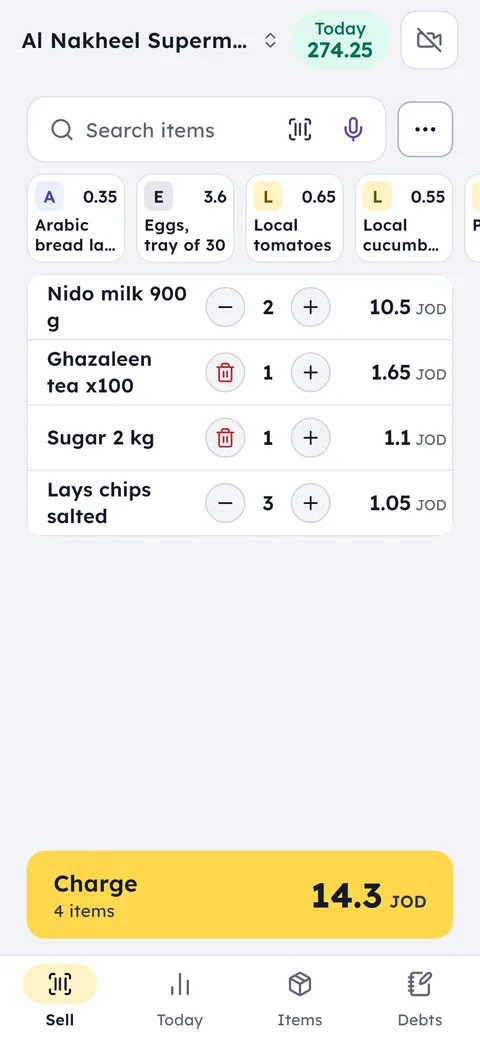
Ghalleh works without internet and keeps one copy of your data on the device and one in your shop account online, so what you record is not lost when the network drops, nor if the device fails after its invoices have been sent.
A shop example
A bakery in Russeifa loses its internet from 7 to 9 in the morning, its busiest hours. In those two hours the cashier issues 85 invoices worth JOD 212.500, all saved on the device with their receipts printed. When the connection returns, the invoices go to JoFotara and the total appears on the owner's phone.
Common questions
Is there a POS that works without internet?
Yes. An offline POS saves invoices on the device and keeps selling and printing during an outage, then sends them when the connection returns. Ghalleh works this way, and you can try it free for 14 days with no card.
What happens to e-invoices during an outage?
Invoices are saved on the device and sent to JoFotara automatically when the connection returns. An invoice the system refuses shows with the reason, so you can fix it and send it again.
Does the receipt get a QR code offline?
Not straight away. The QR code is issued by JoFotara once it receives the invoice, so it is stored with the invoice after it is sent when the connection returns.
Does offline selling work on a tablet or a POS terminal?
Yes. Ghalleh works the same way on phones, tablets and Android POS terminals: selling and printing on the terminal's printer carry on, and invoices wait for the connection, then go by themselves.
Are invoices lost if the phone switches off during an outage?
No, they are saved on the device and survive a restart. What loses them is uninstalling the app, clearing its data or signing out before they are sent.
Do I need internet at all?
Yes, just not all the time. You need it to sync devices, send invoices to JoFotara and get notifications on your phone. Selling itself carries on without it.