
Skip to content
Ghalleh

Auto parts shop POS and accounts, by part number

Type the part number or scan its barcode, see if it's on the shelf, and put it on the garage's tab before the mechanic leaves.

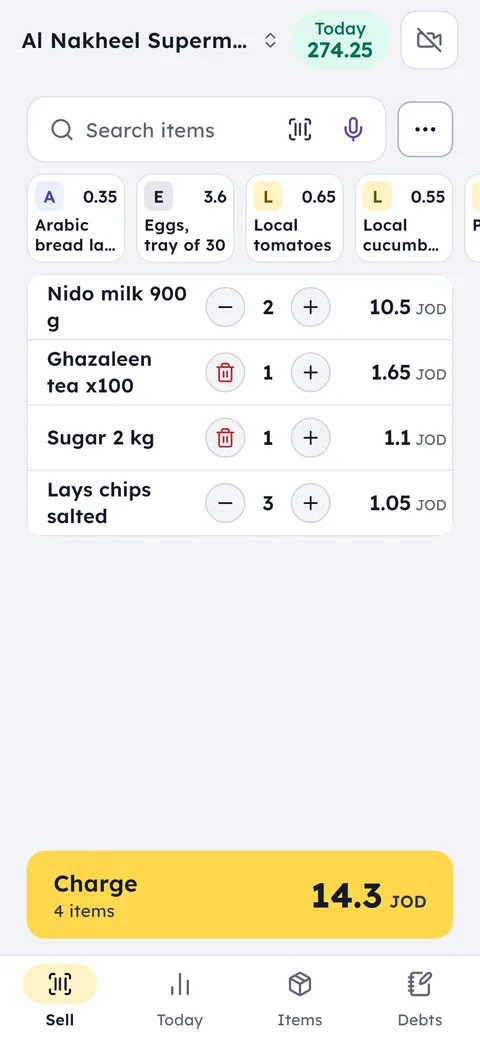
The Ghalleh selling screen: a sale with milk, tea, sugar and crisps, total 14.300 JOD

Your day with Ghalleh

  1. 08:00Opening upYou check which garage accounts fall due this week, and send each one its statement on WhatsApp.
  2. 10:30A mechanic asks by part numberYou type the number stamped on the old part, the item comes up with its price and quantity, and it goes on the garage's tab.
  3. 15:10Alert: oil filters running lowThe alert comes with a suggested quantity, so you add it to your next supplier order.
  4. 20:00Evening closeSee today's sales, profit after cost, and the total the garages owe you.
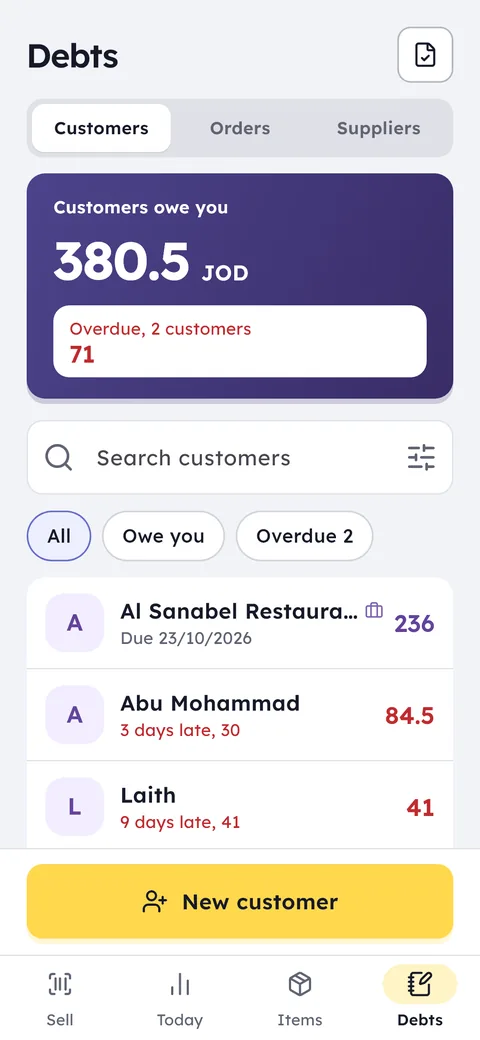
The Ghalleh debt book: what customers owe you in total, and who is late

With Ghalleh

  • Part numbers saved as barcodes, found by scan or by typing
  • Every garage's tab by name, with payments and due dates
  • Two selling units for oil, litre and gallon, with stock taken off correctly
  • A list of parts unsold for 14 days, and your stock value at cost

Part numbers

Save the part number as the item's barcode, then scan it, type it in search, or search by part name.

Garage tabs

Every garage and mechanic with a tab, partial payments, and a statement on WhatsApp.

Litre and gallon

The same oil by the litre and by the gallon, each unit with its price, stock counted precisely.

Supplier orders

Reorder suggestions based on days of stock left, and purchase invoices that update cost.

Garage prices

A second price on each part for garage accounts, applied automatically when you pick the garage on the invoice.

Quotations

A PDF quotation with the parts, their prices and a valid-until date, saved and turned into a sale when the customer agrees.

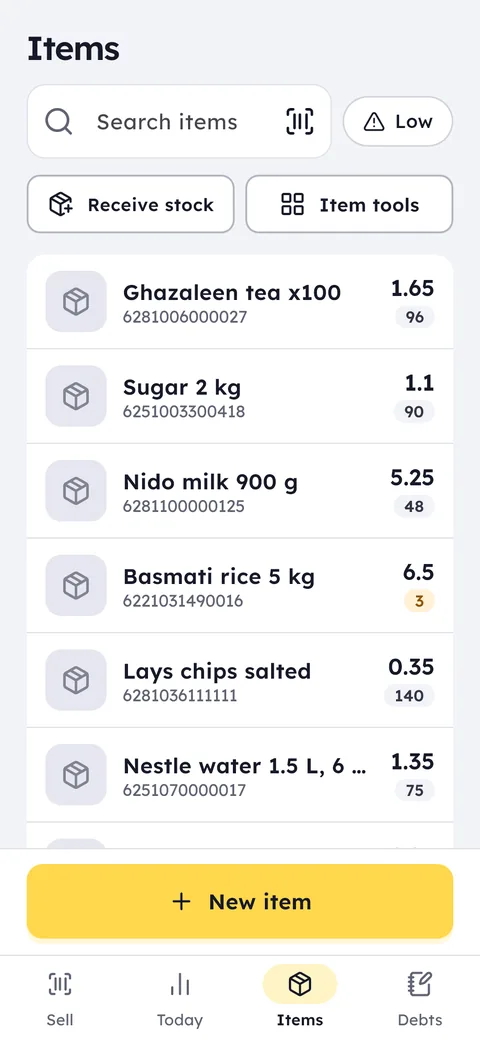
The Ghalleh items screen: every item with its price, barcode and the quantity left

The Ghalleh items screen: every item with its price, barcode and the quantity left

The auto parts guide

Part numbers, brands and substitute numbers

In an auto parts shop the parts look alike and the difference is a small number. Every item in Ghalleh has a field for its part or reference number, a field for the brand, and a category. A substitute part that carries another maker's number gets that number as an extra barcode on the same item, so search finds it by any of its numbers.

The mechanic brings in the old part with the number stamped on it: type it in the search or scan the box, and the item shows with its price and how many are on the shelf.

  • Type numbers as printed on the box, without extra spaces or dashes
  • Set categories by system: brakes, suspension, filters, electrics

Oil by the litre and by the gallon

The same oil sells by the litre to a passing driver and by the gallon to a garage. Make the litre the item's unit, then add the gallon at 3.785 litres and its price. Sell a gallon and stock drops by its volume in litres; sell a litre and it drops by one, so the oil count matches the storeroom.

Filters, plugs and bulbs are ordinary barcoded items, and a carton can be an extra unit with its count and price if you sell wholesale.

Garages: a trade account and their own price

Garages buy on account and pay at the end of the week or month. Make each garage a trade account with payment terms, and give parts a trade price. Pick the garage on the bill and its price applies automatically, with the amount recorded on its account.

Send each garage its statement on WhatsApp with dates and amounts, and see in one number what all the garages owe you, and which are past their terms.

A quote for a garage or a customer

A customer wants to know what a brake job will cost before deciding. Add the parts on the selling screen as if selling, then issue them as a PDF quote with every part's price and a valid-until date, and send it. The quote is kept, and when they agree you turn it into a sale without entering the parts again.

Returns: only the wrong part

A part often comes back because it doesn't fit the model. Open the original invoice and return just that part and its quantity; the rest of the invoice stays as it is. The part goes back into stock, and its amount goes back in cash or as the customer's credit with the shop.

Slow movers and supplier orders

A part unsold for months ties up your money on the shelf. Ghalleh lists the items unsold for 14 days and your stock value at cost, so you know how much money is stuck before you order from the supplier again.

When a fast mover such as oil filters runs low, you get an alert with a suggested quantity. When the order arrives, photograph the supplier's invoice or send its PDF, and Ghalleh reads the parts, quantities and prices for you to review before saving.

Auto parts shop accounts

From accounting software an auto parts shop needs four numbers every day: what you made, how much stock is on the shelves, what you owe suppliers, and what garages owe you. Ghalleh has all of them, worked out from the same sales and purchase invoices, with no bookkeeping entries.

At month end you hand the accountant a PDF with sales, purchases and a tax estimate. The tax return and the official books stay with them.

  • Profit after the cost of each part as it came on its purchase invoice
  • What you owe each supplier, and what each garage owes you
  • Daily expenses in their place, so you see net profit

What Ghalleh doesn't do in an auto parts shop

Ghalleh has no ready parts catalogue and no search by chassis number. Your items are what you add yourself or import from a supplier's file, up to 20,000 rows at a time, with their numbers, names and prices.

JoFotara for auto parts shops

If you need e-invoicing software for an auto parts shop, you deal with two kinds of customer: the driver who pays cash and the garage that buys on account. In Ghalleh both invoices go to JoFotara as the sale happens, and the QR code prints on the receipt.

A garage's invoice carries its name and its company tax number when they're on its profile. A part that comes back goes as a credit note against its original invoice, with the return as the reason, so the whole invoice is never cancelled.

How the link works, step by step: JoFotara integration.

Common questions

Questions about the free trial, the PC version and prices are answered in the FAQ and on the pricing page. Looking for free POS software? Here is what you get free and what you pay for.

How do I find a part by its number?

Put the part number in the number or reference field in the item details, and add substitute numbers as extra barcodes. Then type or scan any of them and the item shows with its price and stock.

Can garages pay a different price from walk-in customers?

Yes. Give each part a trade price and make the garage a trade account. Pick it on the bill and its price applies automatically, and its JoFotara invoice carries its name and company tax number.

Garages pay at month end. How do I keep track?

Each garage has an account with payment terms, holding everything it took and its part payments. Send the statement on WhatsApp, and see what all the garages owe and who is late.

Does Ghalleh have a parts catalogue by chassis number?

No. Ghalleh has no parts catalogue and no chassis-number search. You import your parts list from your supplier's file with numbers and prices, then search by your own numbers.

Open your shop on Ghalleh today.

Download the app, set up your shop yourself and try every feature free for 14 days, with no card.

WhatsAppCall
WhatsApp0778712927
Ask Ghalleh
Hi. Pick a question and I will answer from Ghalleh's own information.
Rather talk to us directly?
Call 0778712927