
In short: A cash invoice is issued when the customer pays at the time of sale, and a receivable invoice when the amount is put on account to be paid later, which requires the buyer's name. The second half of the type comes from your registration: an income invoice if you are not registered for sales tax, and a general or special sales tax invoice if you are.
In this guide
- The short version: six types and their codes
- When to issue a cash invoice and when a receivable one
- Buyer details on a receivable invoice
- The income invoice, for businesses not registered for sales tax
- The general sales tax invoice at 16%
- The special tax: how it shows on the invoice
- New invoice 388 and return 381
- Four steps to find your invoice type
- Try the invoice type picker
- How Ghalleh picks the type for you
Every JoFotara invoice answers two questions at once. How did the customer pay: at the time of sale, or on account to pay later? And how is your business registered: for income tax only, or for sales tax? The two answers give the invoice type and its code. This guide covers the six types as defined in the technical guide for connecting to JoFotara, published on the Income and Sales Tax Department's site, what each one needs, and how a cashier app picks it. It is a general explanation. How your own business is registered is something the department or your accountant can confirm.
The short version: six types and their codes
The invoice type code has three digits. The first is the trade type, 0 for a local sale. The second is the payment method: 1 for cash, 2 for receivable. The third is the tax family: 1 for income, 2 for general sales tax, 3 for special sales tax. These are the codes for local sales.
| Invoice type | Cash | Receivable |
|---|---|---|
| Income invoice | 011 | 021 |
| General sales tax invoice | 012 | 022 |
| Special sales tax invoice | 013 | 023 |
Codes as given in the technical guide for connecting to JoFotara, published on the Income and Sales Tax Department's site, istd.gov.jo. Exports use other codes on the same pattern. Check the latest version of the guide before writing any code.
When to issue a cash invoice and when a receivable one
The rule comes down to one question: was the amount paid when the invoice was issued? If the customer paid at the time of sale, the invoice is cash. If all or part of the amount was put on the customer's account to pay later, it is receivable.
Cash here does not only mean notes and coins. A sale paid by card or by CliQ at the till is a cash invoice, because the money arrived at the time of sale. A sale on account, like the neighbourhood customer who settles at the end of the month or a company that pays a month later, is a receivable invoice.
Buyer details on a receivable invoice
A cash invoice for a walk-in customer does not need their name. A receivable invoice is a debt recorded against a person or a company, so the portal guide requires the buyer's name on it, and also on any invoice of 10,000 JOD or more.
The technical guide defines three types of buyer identification number, each written in digits only:
- National number (NIN): for a Jordanian buyer.
- Personal number for non-Jordanians (PN): for a non-Jordanian buyer.
- Tax number (TN): for a buyer with a tax number, such as a company or a shop. It is required on development zone invoices.
- Whatever number you enter has to be right: a wrong buyer tax number, or a missing name on a receivable invoice, is a known reason for rejection.
The income invoice, for businesses not registered for sales tax
If your business is registered for income tax only, with no sales tax registration, every invoice you issue is an income invoice: 011 for cash and 021 for receivable. An income invoice carries no sales tax: its lines have no tax rate and its total has no tax amount. If a tax rate reaches the system on one, it is rejected with the message General tax percentage must be zero.
Do not confuse this with an exempt item sold by a business registered for sales tax. That item stays on a sales tax invoice, at zero or exempt on its own line, and does not turn the invoice into an income invoice.
The general sales tax invoice at 16%
If your business is registered for sales tax, the default is a general sales tax invoice: 012 for cash and 022 for receivable. Each line carries its item's tax rate, 16% at the general rate, a lower rate, zero or exempt, and the tax shows on each line and then as a total.
Example: a line worth 8.000 JOD before tax at the general rate carries 1.280 JOD of tax, making 9.280 JOD. If your prices include tax, divide by 1.16 to find the price before tax. The sales tax calculator on our tools page does it for you.
The special tax: how it shows on the invoice
The special tax applies to specific goods on top of the general tax, and invoices for those goods have their own type: the special sales tax invoice, 013 for cash and 023 for receivable. In the usual case the special tax is worked out first, then the general tax is worked out on a price that includes it, so both taxes appear separately on the invoice. Here is an example with a made-up rate.
| Step | Calculation | Amount |
|---|---|---|
| Item price before taxes | The price itself | 10.000 JOD |
| Special tax, at 10% as an example | 10.000 × 10% | 1.000 JOD |
| Base for the general tax | 10.000 + 1.000 | 11.000 JOD |
| General tax at 16% | 11.000 × 16% | 1.760 JOD |
| Price to the customer | 11.000 + 1.760 | 12.760 JOD |
Example only: the 10% rate is there for the arithmetic and is not the rate of any product. The special tax can be a percentage or a fixed amount per unit. Get each product's rate and treatment from the department or your accountant.
New invoice 388 and return 381
Alongside the three-digit code, every invoice carries a document type code: 388 for a new invoice and 381 for a return invoice, the credit note that reduces an earlier invoice and is linked to it by its number. A return follows its original invoice's tax family: the return of an income invoice stays an income document, and the return of a sales tax invoice carries its tax.
The technical guide has no debit note. To raise the amount of an issued invoice, you issue a new invoice for the difference. The details are in our credit notes and returns guide.
Four steps to find your invoice type
- Know your registration
Income tax only, or registered for sales tax? Your accountant or your registration certificate has the answer, and it is set in your app once. - Look at the item
If it carries the special tax, the invoice is a special sales tax invoice. Otherwise it is general if you are registered for sales tax, and income if you are not. - Look at the payment
Paid at the time of sale? Cash. All or part on account? Receivable, with the buyer's name. - Put the two answers together
Sales tax registration with a cash payment gives 012, income registration with a sale on account gives 021, and so on in the table above.
Try the invoice type picker
Answer a few questions about your registration and how the customer paid, and the tool shows the invoice type, its code and the buyer details it needs. The tool runs in your browser and sends your answers nowhere.
Codes: Cash: 011 income · 012 general sales tax · 013 special tax. Receivable: 021 · 022 · 023. Invoice 388, credit note 381.
How Ghalleh picks the type for you
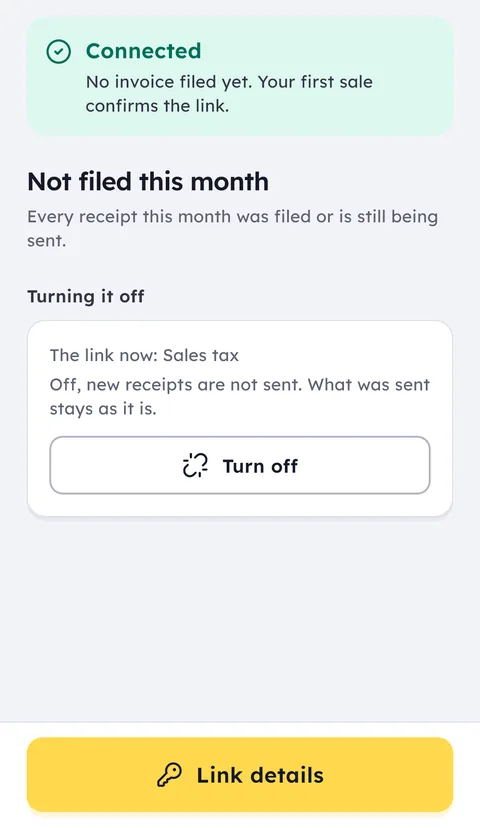
In Ghalleh you choose your tax registration once, when you connect JoFotara: registered for sales tax, or income tax only. From that, Ghalleh knows the tax family of every invoice, general sales tax or income, so the cashier picks nothing at the moment of sale.
Cash or receivable comes from the payment itself. If the customer pays in cash, by card or by CliQ, the invoice goes as cash. If you put all or part of the amount on a customer's account in the debt book, it goes as a receivable invoice in that customer's name from their customer record, with their tax number if you saved it there.
Ghalleh issues income invoices and general sales tax invoices. It does not issue special tax invoices, so if your goods carry the special tax, check with your accountant before you connect.
Ghalleh is available now on Google Play, and the Windows version is on the download page, with a 14-day free trial with every feature and no card. Make one cash sale and one sale on account, then open view invoices on the portal and look at the type of each.
Everything about JoFotara on one page: the JoFotara e-invoicing guide.
Common questions
When do I issue a cash invoice and when a receivable one?
If the amount was paid when the invoice was issued, in cash, by card or by CliQ, the invoice is cash. If all or part of it was put on the customer's account to pay later, the invoice is receivable.
What buyer details does a receivable invoice need?
The buyer's name is required on a receivable invoice according to the portal guide. The technical guide defines three buyer identification types: national number (NIN), personal number for non-Jordanians (PN) and tax number (TN).
Do I issue an income invoice or a sales tax invoice?
Your registration decides, not the item. A business not registered for sales tax issues income invoices with no tax. A registered business issues sales tax invoices, even for exempt or zero-rated items. Ask your accountant how you are registered.
How does the special tax show on a JoFotara invoice?
On a special sales tax invoice, code 013 for cash and 023 for receivable. In the usual case the special tax is worked out first, then the general tax on a price that includes it, and both appear separately. Get each product's rate from the department or your accountant.
Can I change the invoice type after it was sent?
No. An invoice the system has accepted cannot be edited. Return it with a credit note linked to it, issue a new invoice of the right type, and fix the setting that caused the mistake so it does not happen again.