
Is your shop ready for JoFotara? Check in one minute
Eight yes or no questions on registration, connection, receipts, returns and records. Every no comes with a practical next step and a guide that explains it.
JoFotara readiness check
- 01Is your shop registered with the Income and Sales Tax Department, with an active tax number?
- 02Have you created your business account on the JoFotara portal, and do you know the main user's username and password?
- 03Do you have the Client ID and Secret Key to connect your till device?
- 04Does your cashier app send every invoice to JoFotara automatically at the moment of sale?
- 05Does the QR code returned by the system print on the customer's receipt?
- 06When a customer returns goods, do you issue a return invoice (credit note) linked to the original invoice?
- 07Do you keep copies of your sales and purchase invoices in order, and can you find any invoice quickly?
- 08Do your staff know what to do when the internet drops or an invoice is rejected?
Answer yes or no to each question. Every no adds a practical next step here, with a guide that explains it.
Your next steps
- 01Tax number
Get your tax number and your business's e-services account from the Income and Sales Tax Department, and ask your accountant which registration type applies to you before anything else.
Read: Registering on JoFotara - 02Portal account
Open portal.jofotara.gov.jo by typing the address yourself, create the main user for your business, and keep the username somewhere safe.
Read: Logging in to JoFotara - 03Connection keys
Log in as the main user, open the device connection screen on the portal, generate the keys and paste them into your cashier app exactly as shown.
Read: Finding your Client ID and Secret Key - 04Automatic sending
If you issue invoices by hand on the portal, connect a cashier app that sends each invoice on its own and resends any that did not get through.
Read: A cashier app connected to JoFotara - 05QR code on the receipt
Print a test invoice and check that the QR code appears and scans with a phone camera. If it does not, check the printer settings and receipt template in your app.
Read: The QR code on a tax invoice - 06Returns
Never delete an invoice the system has accepted. Issue a return invoice linked to it for the returned quantity, and agree one way of handling returns and exchanges with your accountant.
Read: Returns and credit notes - 07Keeping records
File sales and purchase invoices by month in one place, and ask your accountant how long to keep them before you throw anything away.
Read: Tax records for shops - 08Internet outages
Write your staff a short note: keep selling, let unsent invoices resend automatically, and check the portal before any manual resend so no invoice is issued twice.
Read: Connection errors and fixes
This is a practical readiness check, not legal or tax advice.
Formula: Readiness = number of yes answers out of 8
How to use it
Pick yes or no for each one based on what happens in your shop today, not what you plan to do.
You see how many of the 8 items are ready, with a bar that moves forward with every yes.
Every no adds a practical step and a link to a guide. The steps follow the real order: registration, then connection, then daily selling.
Getting ready for JoFotara is not one step, it is a chain: an active tax number, then a portal account, then connection keys in your cashier app, then invoices that go out on their own with every sale. If one link breaks, the whole chain stops, and you usually find out on a busy day with customers waiting at the till. This check walks through the links in order, so you know where you stand before something catches you out.
The last questions are about daily work rather than registration: does the QR code print on the receipt, how are returns handled, where are invoices kept, and what does the cashier do when the internet drops. These are the items that wear shops down after they connect, because a mistake repeats on every shift. Run the check again whenever you change your till device or add a branch or a new employee. This is a practical readiness check, not legal or tax advice. For anything specific to your business, ask your accountant.
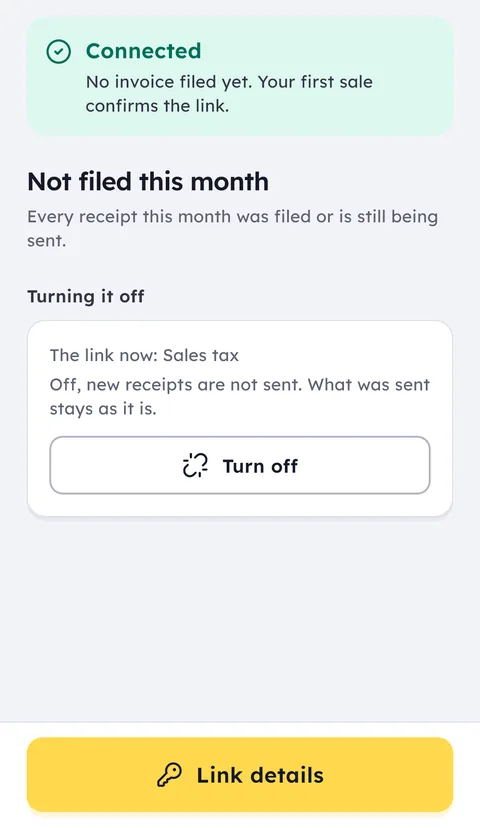
Ghalleh is connected to JoFotara: it sends every invoice at the moment of sale, prints the QR code on the receipt, links each return to its invoice and resends anything that did not get through on its own.
Common questions
Does this check tell me whether my shop has to use JoFotara?
No. It only measures practical readiness: whether your accounts, connection, receipts, returns and records are in order. What applies to your business, and how it should be registered, is a question for the Income and Sales Tax Department and your accountant.
Are my answers saved or sent anywhere?
No. The check runs in your browser, nothing is sent anywhere, and your answers are gone when you close the page.
I scored 8 out of 8. Am I done?
Your shop is ready in practice today, but readiness changes: a new till device needs connection keys, and a new employee needs to know what to do when the internet drops. Run the check again after any change like that.
Open your shop on Ghalleh today.
Download the app, set up your shop yourself and try every feature free for 14 days, with no card.