
Barcode generator
Formula: Check digit = 10 - last digit of (sum of odd positions + 3 × sum of even positions); if that last digit is 0, the check digit is 0
How to use it
EAN-13 for numbers only: type 12 digits and the check digit is added. Code 128 for letters and numbers.
Your product number or internal code. Type 12 digits and the tool shows the check digit; type 13 and it checks the last one.
Print on labels or plain paper, and scan it with your scanner or camera before you stick it on stock.
A barcode is a number written in bars, so a scanner or phone camera reads it instead of the cashier typing it. EAN-13 is the code on most packaged products: 13 digits, the last one a check digit that catches misreads. Code 128 takes letters and numbers, so it suits internal codes for things you make or pack yourself. A box of homemade maamoul at 1.250 JOD gets a code, scans at the counter, and lands on the invoice at the right price.
The EAN-13 check digit comes from the first 12 digits. Take 400638133393: the digits in odd positions add up to 20, the digits in even positions add up to 23, times 3 makes 69, and the total is 89. Subtract the last digit, 9, from 10 and the check digit is 1, so the full code is 4006381333931. For items you prepare in your own shop, use codes that start with 2, a range set aside for in-store use.
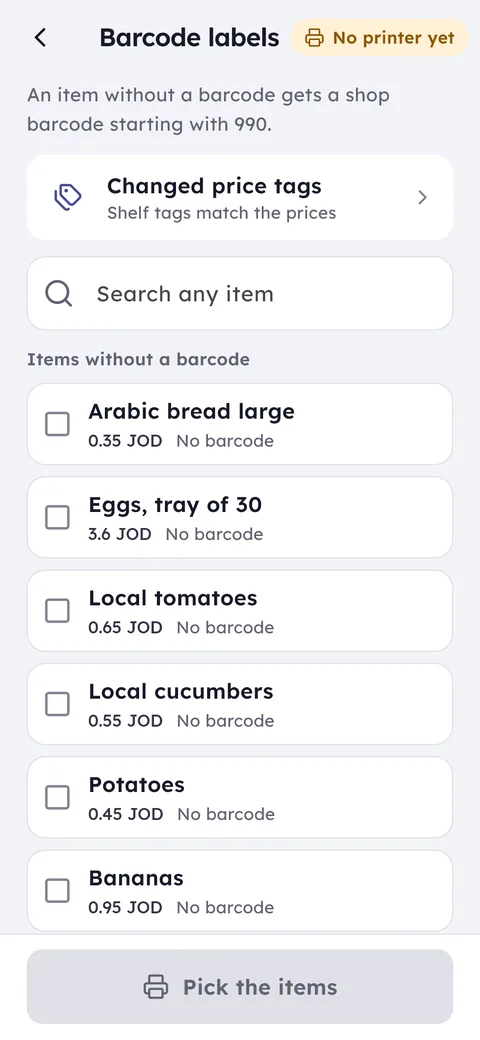
Ghalleh reads barcodes with the phone camera or a USB or Bluetooth scanner, and lets you run a stocktake by scanning items one after another.
Common questions
Do I need to register my barcodes?
Not for selling inside your own shop. If you want to supply your product to large chains or export it, you will need registered codes from GS1 Jordan, because those buyers require a code that is unique worldwide.
Should I use EAN-13 or Code 128?
EAN-13 if your code is numbers only and you want the standard retail format. Code 128 if you need letters, like TS-RED-M for a red medium T-shirt, or a short code for a shelf or internal item.
Will my scanner read a barcode from a regular printer?
Yes, as long as it prints crisp black on white and you don't shrink it too much. Print one test sheet and scan it before you print a big batch of labels.
Open your shop on Ghalleh today.
Download the app, set up your shop yourself and try every feature free for 14 days, with no card.