
Bookshop and stationery POS, ready for back to school
Bring in hundreds of items from one Excel file, then ring up a whole school list in a minute.
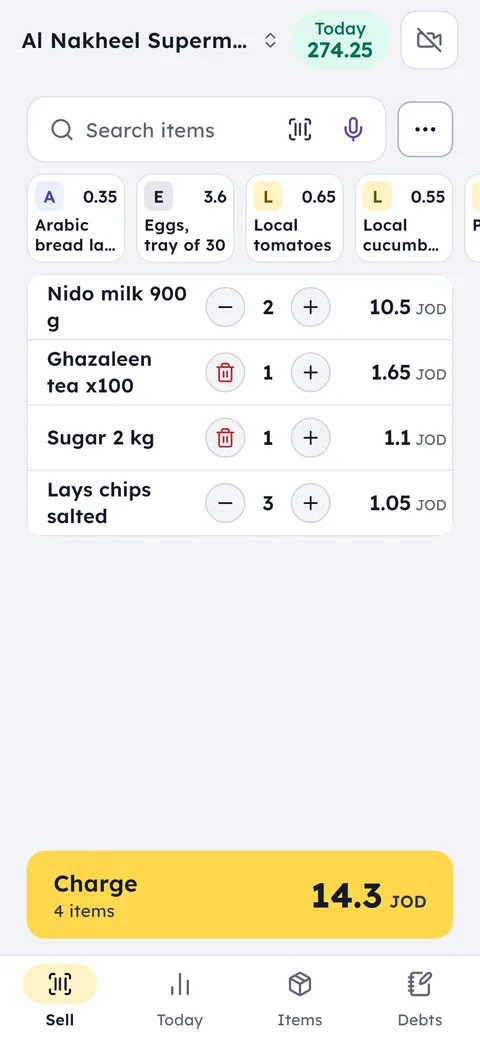
Your day with Ghalleh
- 08:00First day of school seasonA queue of parents with long lists, and the cashier scans item after item without stopping.
- 12:30Alert: notebooks running lowThe alert comes with the days of stock left, so you order from the supplier before the week ends.
- 17:00Someone asks for a novelYou search by title and know instantly if it's in stock and how many copies are left.
- 21:00Evening closeSee today against yesterday, the peak hours, and the correct drawer amount.
With Ghalleh
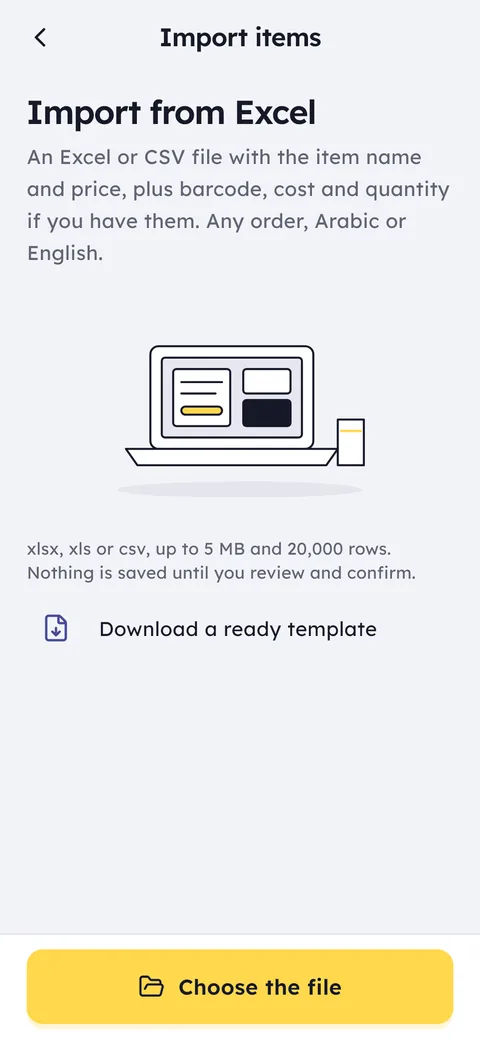
- Import every item from Excel once, with prices and barcodes
- Continuous scanning rings up a full school list in a minute
- Stocktake by scanning with your phone, while you stay open
- Low-stock alerts arrive with a suggested order quantity
Excel import
Load your item list with prices and barcodes from one file, and update the prices from a new file whenever you like.
Continuous scanning
The phone camera or a USB scanner works through the whole list without pausing.
Stocktake by scanning
Scan shelf by shelf with your phone and your stock quantities update.
Peak hours
Know the busiest hours of the season and plan your shifts around them.
School prices
A second price for schools and shops that buy in bulk, applied automatically when you pick their account on the invoice.
Quotations for schools
A school's book and stationery list as a PDF quotation with a valid-until date, which becomes a sale when they agree.
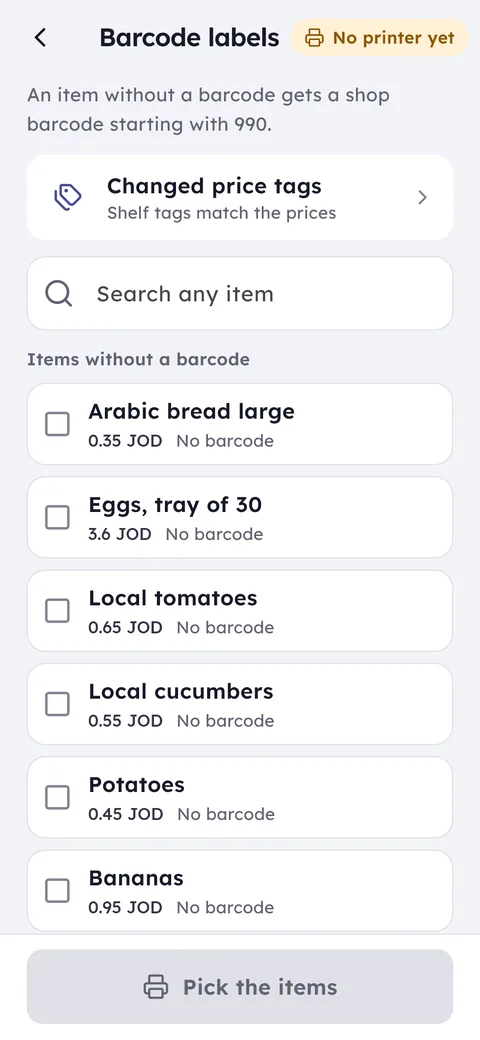
Barcode labels in Ghalleh: the items with no barcode, picked and printed as labels
JoFotara for bookshops and stationery shops
In the school season a bookshop puts out hundreds of invoices a day, a whole list for one pupil and a single pen for the next. If you need e-invoicing software for a bookshop, Ghalleh sends every invoice to JoFotara as the sale happens and prints the QR code on the receipt, without holding up the queue of parents.
A school buying wholesale on account gets invoices with its name and tax number when they're on its profile, and a quote it accepted turns into an invoice without entering the items again.
How the link works, step by step: JoFotara integration.
Common questions
Questions about the free trial, the PC version and prices are answered in the FAQ and on the pricing page. Looking for free POS software? Here is what you get free and what you pay for.
I have thousands of small items. Do I add them one by one?
No. Import the list from an Excel or CSV file with names, prices and barcodes, up to 20,000 rows. Ghalleh matches the columns itself and shows you the rows to check before saving.
Some items have no barcode. How do I sell them?
Search the item by name and add it to the bill, or print a barcode label for it from Ghalleh and stick it on the shelf or the box.
Can I do a stocktake while the shop is open?
Yes. Scan the barcodes with your phone shelf by shelf, and keep selling on another device.
A school wants a quote for a whole list. How do I prepare it?
Add the items on the selling screen as if it were a sale, then issue it as a PDF quote with each item's price and a valid-until date. The quote is kept, and when the school agrees you turn it into a sale.
Open your shop on Ghalleh today.
Download the app, set up your shop yourself and try every feature free for 14 days, with no card.