
Ghalleh or Odoo: which fits your shop in Jordan?
Odoo is a wide suite of business apps you configure to order. Ghalleh is a POS you set up by yourself in minutes. A straight comparison for anyone looking at an Odoo alternative in Jordan.
| Ghalleh | Odoo | |
|---|---|---|
| JoFotara e-invoicing | Connected, with a QR code on every receipt | An official Jordan E-Invoicing module in its docs; POS receipt add-ons from third parties |
| Works offline | Yes, invoices are sent automatically when you reconnect | Yes, once a session is opened online, it syncs when the connection returns |
| Devices | Android phones and tablets, Android POS terminals with Google Play, and Windows PCs. iPhone and iPad coming soon | POS runs in the browser |
| Language | Arabic first, invoices in dinar | Many languages, Arabic included |
| Published price | In JOD: 5 a month, 35 a year or 79 once for three years, after 14 days free with no card | One app free, other plans in USD per user per month |
| Staff and attendance | Permissions per employee and clock-in at the shop, in every plan | Employee and attendance apps within the suite |
| Branches | One branch on Start, two on Pro, with stock transfers between them | Several POS points, multi-company on higher plans |
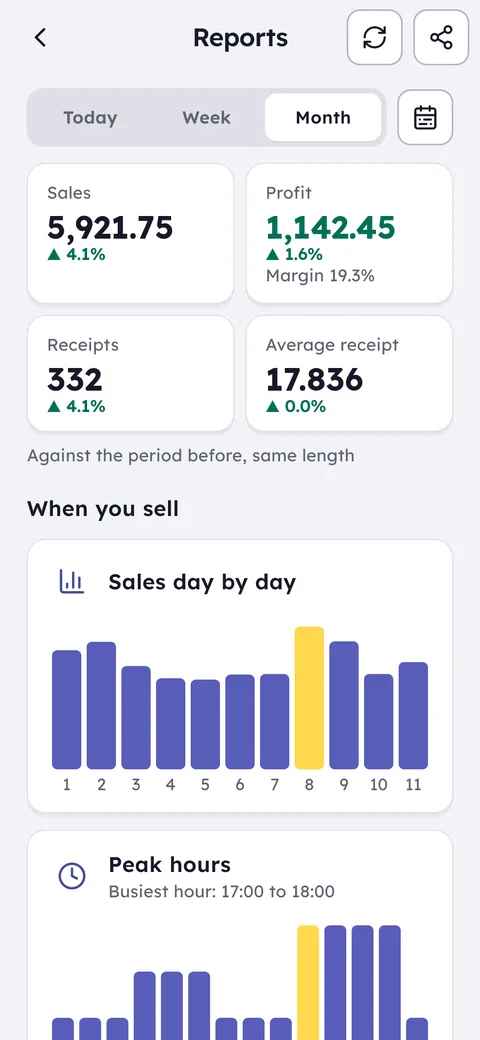
| Owner notifications | Every sale, today's target, low stock, cash differences | Reports and dashboards inside the system |
| Good fit for | Shops and cafés in Jordan that sell and follow up from the phone | Companies that want an ERP shaped around how they work |
Sources: odoo.com/pricing, Odoo's documentation at odoo.com/documentation on its Jordan localisation page, and apps.odoo.com. Checked October 2026. Details may change.
Before you choose, see POS prices in Jordan and what JoFotara integration means in practice.
Odoo is an open-source ERP from Belgium made of many apps you pick from: accounting, stock, sales, employees, eCommerce and point of sale. It has a free plan for a single app with unlimited users, and its other plans are priced per user per month in US dollars. Its POS keeps selling when the internet drops once a session is open. If your company wants one system tailored to every department, that flexibility is real, and there are implementation firms in Jordan to help set it up.
Odoo and JoFotara: the Jordan E-Invoicing module
Odoo's documentation for versions 18 and 19 includes an official module called Jordan E-Invoicing, which connects invoices from Odoo's accounting app to JoFotara. Your implementation firm or system admin turns it on and enters the connection details you get from the JoFotara portal.
For the POS receipt itself, Odoo's app store lists third-party add-ons that print the JoFotara QR code on the receipt. Choosing, installing and testing that add-on is work for whoever sets up the system, and its cost varies by firm, so ask about it before you start.
In Ghalleh there is no module to choose and no add-on to install: you enter the connection details once in settings, every invoice goes out with the sale, and the QR code prints on the receipt.
Ghalleh needs no setup project. You create your shop yourself in minutes and sell the same day. The cashier sells on an Android phone, a tablet or a Windows PC, and you see every sale on your own phone, with a notification when you hit today's target, run low on an item or a shift closes with a cash difference. The price is in dinar per plan rather than per user. If you need full accounting, manufacturing and projects in one system, Odoo is closer to that.
Which one fits you?
Odoo fits if
You run a company that needs accounting, stock, staff and POS in one system you customise, and you have someone in house or an implementation firm to set it up.
Ghalleh fits if
You run a shop or café in Jordan and want to set up on your own with no setup project, with JoFotara on every invoice, a price in dinar, and your shop on your phone.
Moving to Ghalleh
From the product list in Odoo, select your items and export them to Excel or CSV with name, barcode, sale price, cost and quantity.
On the items screen choose import and load the file as it is, Excel or CSV, up to 20,000 rows. Ghalleh matches the columns itself and shows you the rows to review before saving. Keep your old records in Odoo for reference.
Enter your JoFotara connection details once in Ghalleh's settings, and make a test sale to check that the QR code printed on the receipt.
Common questions
Does Odoo connect to JoFotara in Jordan?
Odoo's documentation lists an official Jordan E-Invoicing module for invoices from its accounting app. For a POS receipt with the QR code, its app store lists third-party add-ons that someone has to install and test.
Is Ghalleh an Odoo alternative for point of sale?
If what you need from Odoo is the till, stock, debts and staff for a shop or café, Ghalleh covers that and you can start on your own in minutes. Full accounting, manufacturing and projects are Odoo's territory.
Do I need an implementation firm to set up Ghalleh?
No. Download Ghalleh from Google Play, sign in with your mobile number and a code sent by SMS, then create your shop and add your items yourself or import them from an Excel or CSV file. Help lives inside the app.
How does Ghalleh's pricing compare with Odoo?
Odoo prices most plans per user per month in US dollars. Ghalleh prices per plan in dinar: Start is 5 JOD a month or 35 JOD a year, and Pro is 12 JOD a month or 99 JOD a year, with a 14-day free trial and no card.
Open your shop on Ghalleh today.
Download the app, set up your shop yourself and try every feature free for 14 days, with no card.