
Aqaba sits inside the Aqaba Special Economic Zone, which has its own tax rules overseen by the Aqaba Special Economic Zone Authority, sales tax among them. So the tax rate on some of what you sell in Aqaba can differ from the rate a shop like yours pays in Amman or Irbid. This page does not quote a rate: take the one that applies to your shop and your goods from its official source, the Authority's site aseza.jo, the Income and Sales Tax Department at istd.gov.jo, or your accountant.
What Ghalleh does is apply the rate you choose. When you turn on JoFotara you pick your tax file type: registered for sales tax, or income tax only. If you are registered, you choose the default rate for your items from the rates JoFotara accepts, and say whether your prices include tax. An item with a different rate gets its own rate in its item details, so each line of the invoice is taxed at its own rate.
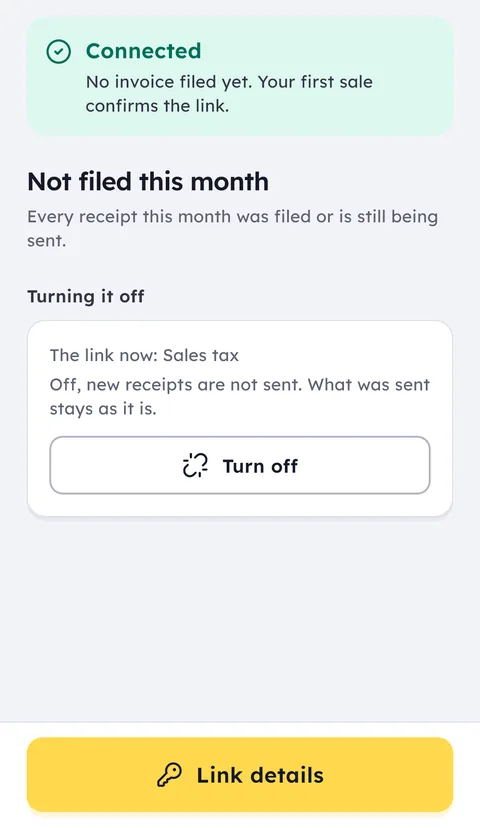
From then on every invoice goes to JoFotara automatically and its QR code prints on the receipt. The connection steps in Ghalleh are the same in every governorate: your tax number and registered name, your income source sequence, and the Client ID and Secret Key from the JoFotara portal, portal.jofotara.gov.jo.
If the shop's internet drops, selling and printing carry on, unsent invoices wait in the app and go out when the connection returns, and you can see the status of each one: sent, waiting, or not accepted.
If you run your Aqaba shop from another city, every new sale reaches your phone, along with the cash difference when each shift closes and a weekly report that compares your sales with the week before.
Common shops in the city
Common questions
What is the sales tax rate in Aqaba?
We do not quote it here, because it is set by regulation and can differ by type of goods. Get it from the Aqaba Special Economic Zone Authority at aseza.jo, the Income and Sales Tax Department at istd.gov.jo, or your accountant, then choose it in Ghalleh's JoFotara setup.
Can some items carry a different tax rate?
Yes. You set a default rate for the shop and give any item its own rate where it differs, from the rates JoFotara accepts. The invoice taxes each line at its own rate.
Is connecting JoFotara different in Aqaba than in Amman?
The steps in Ghalleh are the same wherever your shop is: tax number, registered name, income source sequence and the Client ID and Secret Key from the portal. Questions about registering your shop and its tax inside the zone go to the Authority or the tax department.
What happens to invoices when the internet is down?
Selling and printing carry on. Invoices that were not sent stay in the app and go to JoFotara when the connection returns, and you can see the status of each one.
Other cities in Jordan
Open your shop on Ghalleh today.
Download the app, set up your shop yourself and try every feature free for 14 days, with no card.